
Multichannel outreach

When LinkedIn goes quiet, rescue the lead by email.

Most connection requests are never accepted. Email rescue waits the number of days you choose, optionally withdraws the invite, and sends one email from your own mailbox. Replies land in the same inbox and stop the sequence.

BriskReach product guideLast updated July 2026BriskReach product team

What email rescue does in BriskReach

Email rescue gives paid BriskReach workspaces a controlled fallback when a connection request is ignored. A user adds one Email rescue step after the invite in a connection campaign, chooses how many days to wait, and decides whether to withdraw the pending invite first. If the lead already has an email address, BriskReach sends one email from the customer's connected Gmail, Outlook, or IMAP mailbox. Replies appear in the same BriskReach inbox as LinkedIn replies and stop automation for that lead across both channels.

What Email rescue includes

  • One fallback email step can be added after the invite in a connection campaign.
  • The step runs only when the invite is not accepted after the chosen number of days.
  • The email sends from the customer's own connected Gmail, Outlook, or IMAP mailbox.
  • Replies land in the same BriskReach inbox and stop automation for that lead.
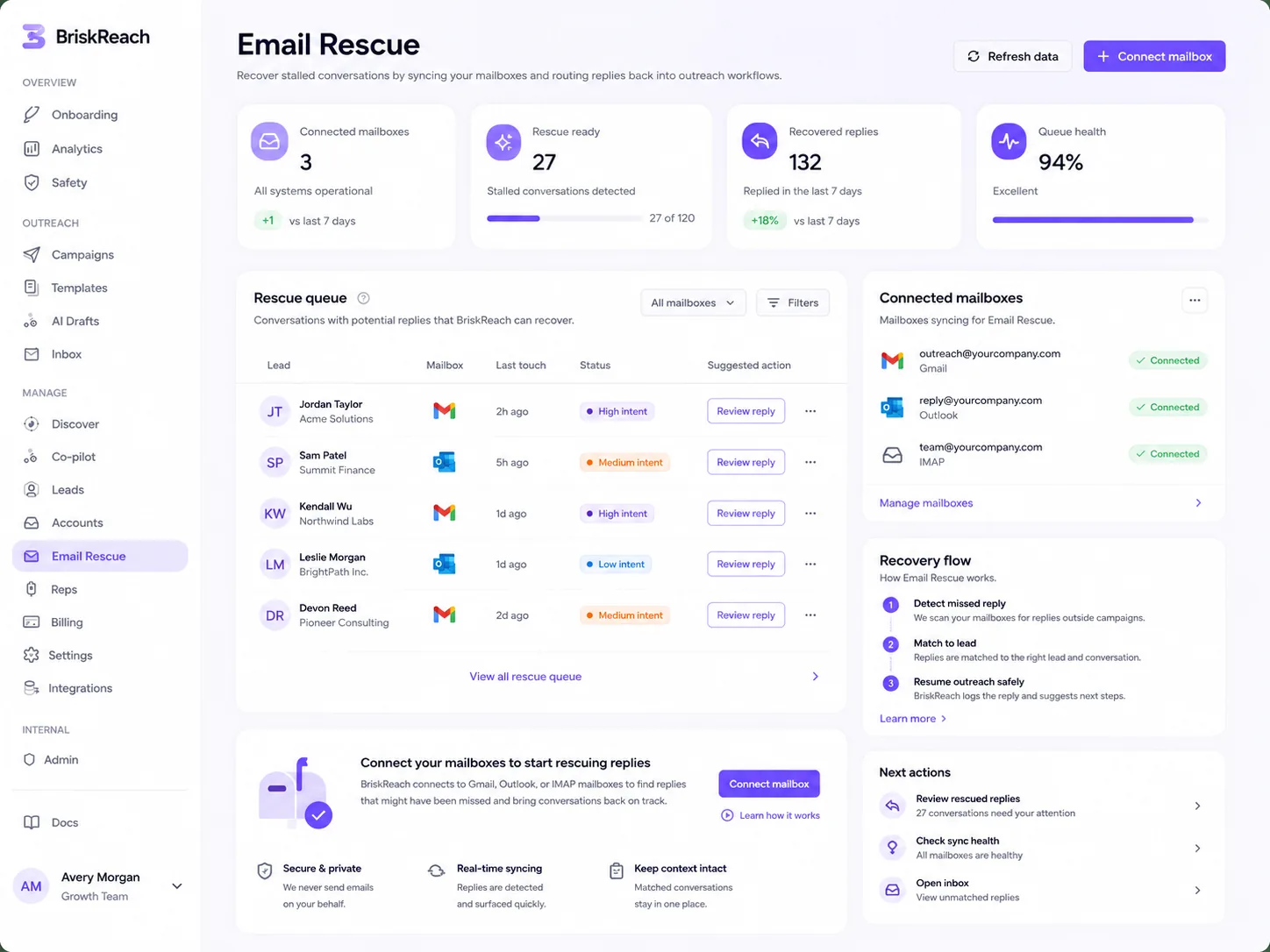
Email Rescue dashboard in BriskReach

Who this is for

Common teams and workflows where email rescue becomes useful.

A connection invite never gets accepted

A sales team can give a qualified lead a second path to answer without building a separate email campaign. If the invite is still pending after the chosen wait, the fallback email sends from the team's own mailbox and keeps the reply in the same inbox queue.

An agency wants one inbox for two channels

A client campaign can keep LinkedIn and email replies together without mirroring the entire mailbox. Only replies from matched leads or existing BriskReach threads appear, so the team handles campaign conversations without turning BriskReach into a general email client.

Example scenario

Example scenario: a reviewed lead gets one fallback email

A user imports a reviewed list with LinkedIn profile URLs and known work emails, creates a connection campaign, then adds Email rescue after the invite step. The campaign waits seven days. If the lead accepts the invite, the email step never runs. If the invite is still pending, BriskReach can withdraw it first, then send one fallback email from the user's connected mailbox. A reply in either channel marks the lead as replied and stops the rest of the sequence.

How BriskReach handles it

Product details, stored context, and limits that keep the workflow clear.

What BriskReach checks or stores

Email rescue uses information already attached to the lead and campaign. The lead must have an email address from CSV import, Discover, or manual entry. The campaign stores the chosen wait, whether the pending invite should be withdrawn first, and the connected mailbox used for the fallback send.

  • Paid gating keeps Email rescue unavailable on trial workspaces.
  • Lead email source can come from CSV import, Discover, or manual entry.
  • Mailbox sends are capped, with 30 emails per day as the default cap.

What Email rescue does not do

Email rescue is a narrow fallback, not a separate email outreach product. It does not find or buy email addresses, does not scrape email from LinkedIn, does not run email warmup, does not optimize deliverability, does not track opens or clicks, and does not create multi-email sequences or email-only campaigns.

  • Leads without an email address skip the fallback step.
  • Only one Email rescue step is available in a connection campaign.
  • Open tracking, click tracking, and email-only campaign paths are not part of this feature.

Safety framing

The fallback email sends from the customer's own connected mailbox, not from shared BriskReach mail infrastructure or rented email accounts. BriskReach keeps the channel tied to human campaign limits and reply handling: a reply in LinkedIn or email marks the lead as replied and stops future automation for that lead.

  • Gmail, Outlook, and IMAP mailboxes connect through hosted auth.
  • Only emails from matched leads or existing threads appear in the BriskReach inbox.
  • Reply detection stops automation across LinkedIn and email.

Where it fits in the workflow

How the fallback runs

  1. 1Connect a customer-owned mailbox through hosted auth.
  2. 2Add one Email rescue step after the invite step.
  3. 3Choose the wait and whether to withdraw the pending invite first.
  4. 4Let matched replies stop the sequence across both channels.
Safety and limits

One controlled fallback

  • Email rescue is available on paid plans only, not trial workspaces.
  • Leads without an email address skip the step.
  • BriskReach does not mirror the whole mailbox into the inbox.

See email rescue inside a real workspace.

Connect one account, import a focused list, and review how BriskReach handles limits, replies, and campaign setup before you scale.