
Expandi alternative: BriskReach vs Expandi
Expandi and BriskReach both help with LinkedIn outreach, but they solve different problems. Expandi is a premium tool focused on advanced personalization and Sales Navigator depth. BriskReach is a transparent hosted workspace for agencies that want reply-aware safety, published warmup limits, lower pricing, and rented Rep capacity across both desks.
Quick verdict
Choose BriskReach if
- Price is a factor ($39 vs $99 per seat).
- You want rented Rep capacity alongside your own accounts.
- Reply-aware automation that pauses on response is important.
Choose Expandi if
- Image or GIF personalization variables are core to your campaigns.
- You run heavy LinkedIn Sales Navigator filtering.
- Advanced customization and variables justify the higher price.
What Expandi is good at
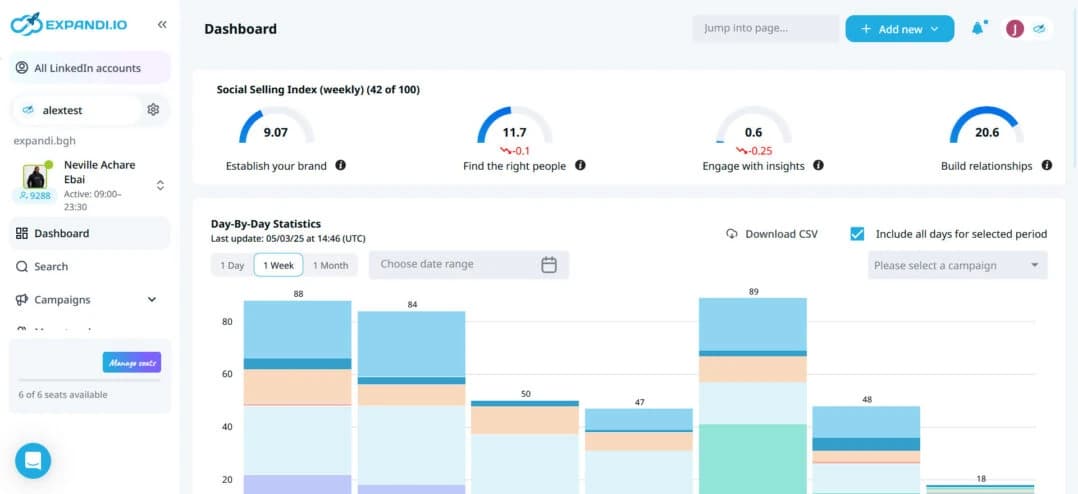
Expandi is built around hyper-personalization. Its standout feature is the ability to inject images and GIFs into messages, making campaigns visually distinctive. Combined with deep Sales Navigator filtering, Expandi lets users build highly targeted, personalized sequences.
That model works well for advanced users who need every personalization lever available. It is especially relevant for teams running visual campaigns where image-based messaging drives higher response rates.
Where BriskReach is different
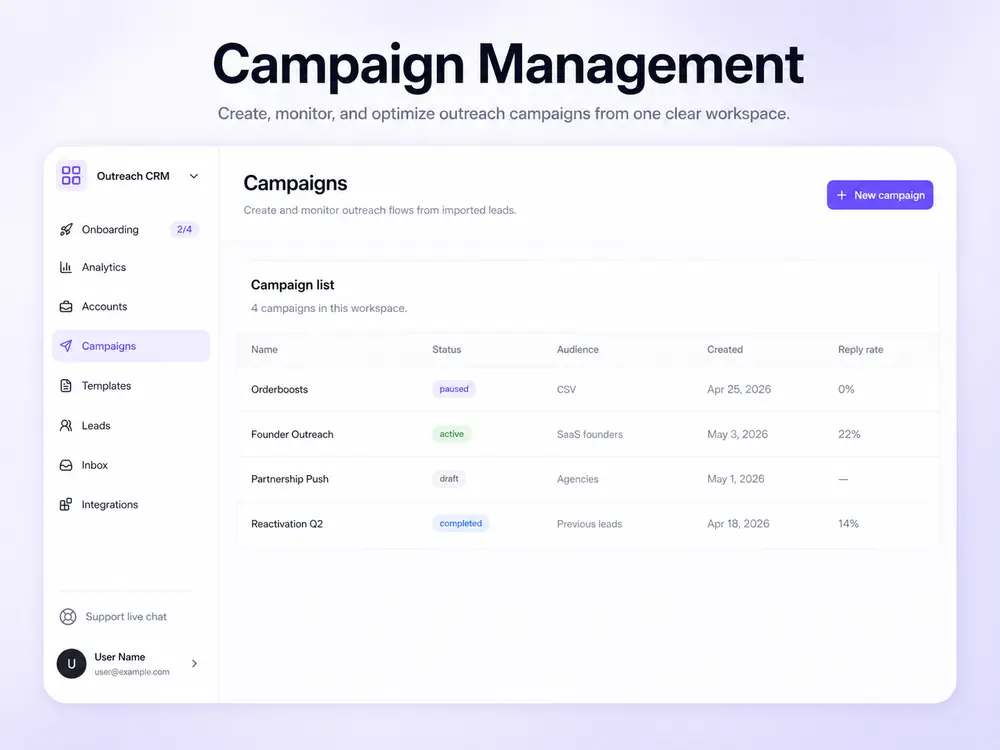
BriskReach is not trying to offer the most personalization variables. It is built around the operational side of LinkedIn outreach: imported leads, campaign state, daily caps, reply detection, inbox handoff, and team visibility — at less than half the price of Expandi.
The practical difference shows up in cost and simplicity. BriskReach starts at $39 per seat compared to Expandi's $99. If advanced personalization is not your edge, BriskReach covers more ground per dollar with safety, inbox handling, and rented Reps.
Workflow comparison
| Area | BriskReach | Expandi |
|---|---|---|
| Main workflow | Hosted web workspace for leads, campaigns, safety, and inbox. | Advanced campaign builder with image and GIF personalization. |
| Best user | Teams who want transparent pricing and reply-aware safety. | Advanced users needing hyper-personalization and Sales Navigator depth. |
| Reply handling | Reply detection pauses future automation and moves work into the inbox. | Reply detection available with smart inbox features. |
| Safety controls | Published 12-day warmup ramp, daily caps, working hours, jitter, reply pause, and sender visibility. | Safety controls with warmup and daily limits. |
| Rented account add-on | Rented Reps available as a paid add-on with a 7-day SLA. | No rented, warmed account add-on is advertised. |
Feature comparison
| Feature | BriskReach | Expandi |
|---|---|---|
| Pricing (from) | $39/seat/mo | $99/seat/mo |
| LinkedIn connection requests | Yes | Yes |
| Follow-up messages | Yes | Yes |
| Reply detection | Yes | Yes |
| Unified inbox | Yes | Yes |
| CSV lead import | Yes | Yes |
| Safety engine / warmup | Yes | Yes |
| Account Warmup pre-outreach activity | Yes | No |
| Published warmup ramp & safety limits | Yes | No |
| Timezone controls | Yes | Yes |
| Daily send limits | Yes | Yes |
| Team workspaces | Yes | Yes |
| API / webhooks | Yes | Yes |
| Rented, warmed accounts available | Yes | No |
| 7-day rep SLA | Yes | No |
As of Apr 2026. Annual billing available. Verify current pricing on Expandi before making decisions.
Pricing comparison
Expandi starts at $99 per seat, more than double BriskReach's $39 starting price. The extra cost buys advanced personalization variables and deep Sales Navigator filtering. BriskReach keeps pricing transparent: $39 per seat, $20 for additional seats, and $129 for rented Reps.
BriskReach
$39
per seat / month
- Additional seats: $20/mo
- Reps: $129/mo
- 7-day seat trial
Expandi
$99
per seat / month
- Annual billing available
- No free tier
- Free trial available
Pricing and features can change. Verify current Expandi pricing on its website before making a buying decision.
When Expandi is the better choice
Expandi is a sensible choice if image and GIF personalization variables are central to your outreach strategy, or if deep Sales Navigator filtering is how you build your lead lists. The advanced personalization options justify the premium price for teams that use them.
It is also a good fit when you have a large established team already on Expandi and the switching cost outweighs the pricing difference. If you use every personalization lever Expandi offers, it is worth the $99.
When BriskReach is the better alternative
BriskReach is the better fit when functional outreach at a lower price matters more than advanced personalization variables. That usually means a founder-led sales team, recruiters, or a small revenue team where $99 per seat is hard to justify.
The main reason to choose BriskReach over Expandi is cost and safety: $39 per seat, reply-aware automation that pauses on response, and rented Reps as a backup option. If image variables are not your edge, BriskReach covers more ground per dollar.
Other Expandi alternatives
1. BriskReach
Teams wanting transparent pricing and reply-aware safety
$39/seat/mo
BriskReach is a LinkedIn outreach and CRM platform with reply-aware safety, clear per-seat pricing, and rented Rep capacity. Built for teams that want operational transparency.
Pros
- Lower hosted workspace pricing than many team tools
- Reply-aware safety engine with warmup
- Contracted human reps with 7-day SLA
Cons
- Newer product with smaller feature set
- G2 reviews still building
- Some CRM integrations planned
2. Aimfox
Agencies managing many client LinkedIn accounts
$49/seat/mo
Aimfox is a LinkedIn automation platform built for agencies. It offers multi-account management, team dashboards, and white-label options. Pricing starts at $49 per seat per month.
Pros
- Strong multi-account dashboard
- White-label options for agencies
- Built-in CRM features
Cons
- Higher starting price than BriskReach
- No free tier
- Setup can be complex for small teams
3. Dripify
Small teams getting started with LinkedIn outreach
$59/seat/mo
Dripify is a cloud-based LinkedIn automation tool with a visual campaign builder. It supports connection requests, follow-ups, and basic safety settings. Pricing starts at $59 per seat per month.
Pros
- Visual campaign builder
- Cloud-based (no browser extension needed)
- Basic safety controls
Cons
- Limited team features on lower tiers
- No contracted rep option
- Basic reporting
4. Octopus CRM
Solo users who want a low-cost browser extension workflow
$9.99/mo
Octopus CRM is a Chrome extension for LinkedIn automation. It supports connection requests, bulk messaging, profile visits, skill endorsements, campaign funnels, and CRM-style tracking from a browser workflow.
Pros
- Very low starting price
- Chrome extension workflow is familiar for solo users
- Supports visits, endorsements, and bulk first-degree messages
Cons
- Browser extension workflow is less suited to team operations
- Shared inbox and workspace controls are limited
- Advanced workflow and integration features require higher tiers
5. HeyReach
Agencies needing client reporting and team tools
$79/seat/mo
HeyReach is an agency-first LinkedIn outreach platform with client reporting, team management, and multi-account support. Pricing starts at $79 per seat per month.
Pros
- Client reporting dashboard
- Team collaboration features
- Multi-account support
Cons
- Higher price point
- Limited rep provisioning
- Smaller user base
FAQ
Expandi alternative questions.
Switch from premium personalization to practical outreach.
Import leads, connect one account, and keep campaign safety and reply handling visible from day one.
Disclosure: BriskReach is our product. We update this page quarterly.