BriskReachBriskReach
Start free trial

How BriskReach works, feature by feature.

A full breakdown of what the product does, how each part works, and what you can control. No marketing fluff.

Setup

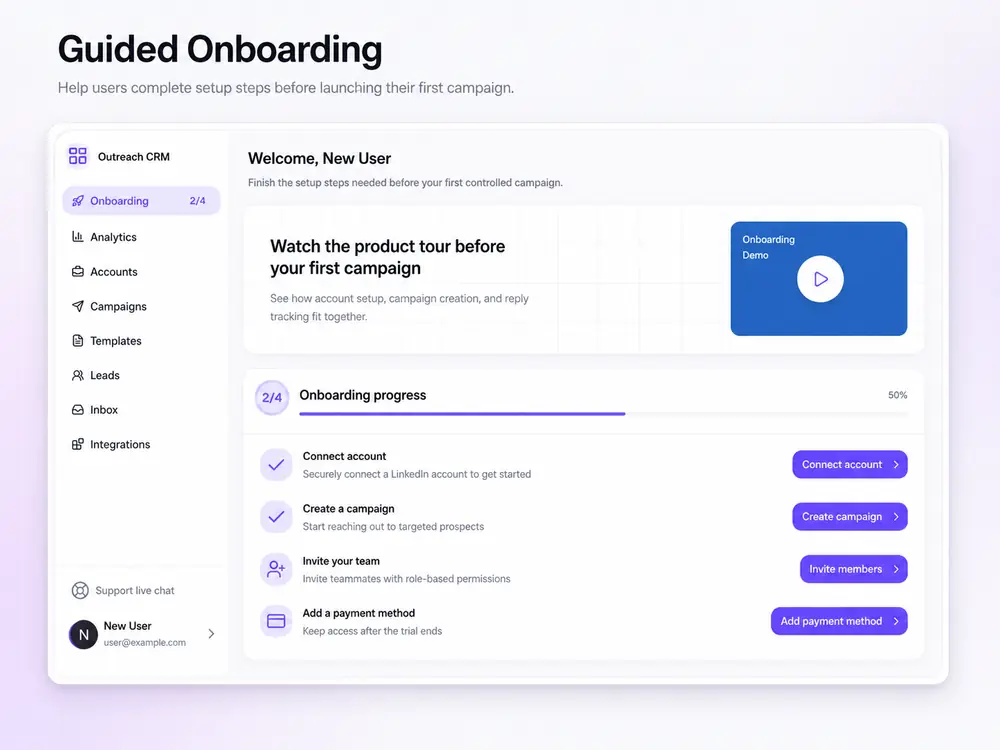
Account connection

Link your LinkedIn profile through hosted auth. No password sharing, no browser extensions.

  • Hosted OAuth. You authorize, we never see your password
  • Account appears in your workspace with a live status badge
  • Supports multiple accounts per workspace for agency use
  • Disconnect and reconnect without losing campaign data
app.briskreach.com
Account connection | BriskReach dashboard

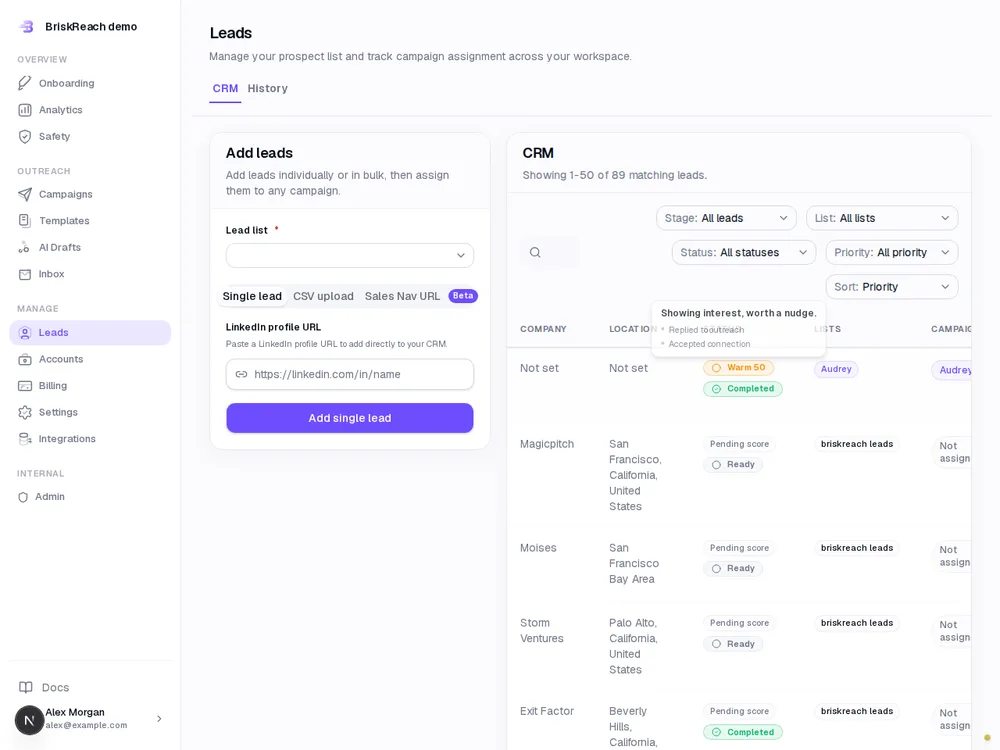
Lead import & CRM

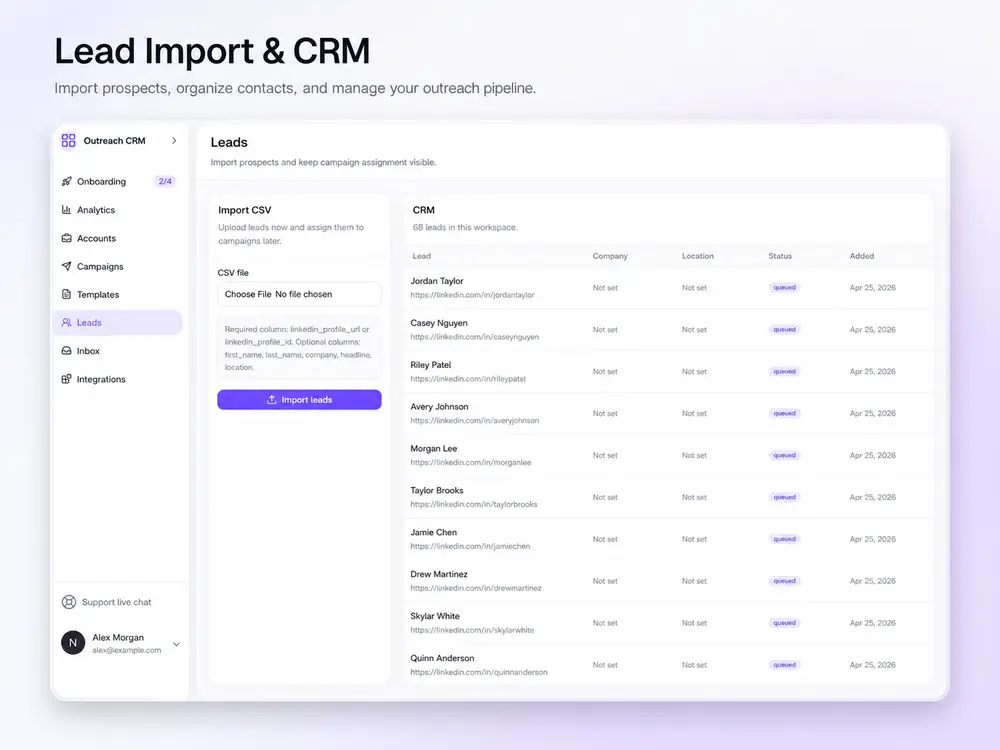
Upload a CSV and review every record before adding it to a campaign.

  • Required: linkedin_profile_url. Optional: first_name, last_name, company, headline, location
  • Review leads in a table with status badges before assignment
  • Leads stay in the CRM even after a campaign ends for future outreach
  • Duplicate detection by profile URL prevents double imports
app.briskreach.com
Lead import & CRM | BriskReach dashboard

Messaging

AI campaign drafts

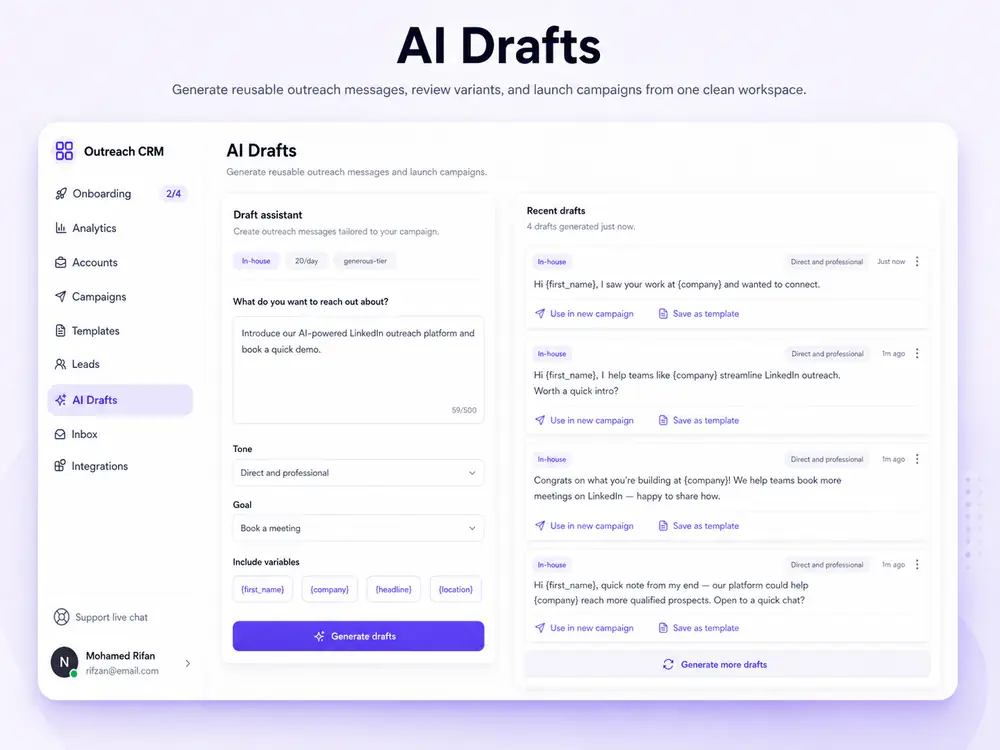
Generate a reusable starting note and first message from audience, offer, goal, and tone. Edit it before you send.

  • Uses only {first_name}, {company}, and {headline} placeholders
  • No auto-send language or fake personal claims
  • Review warnings are shown before you copy the draft into a campaign
  • Works as a starting point for reusable templates
app.briskreach.com
AI campaign drafts | BriskReach dashboard

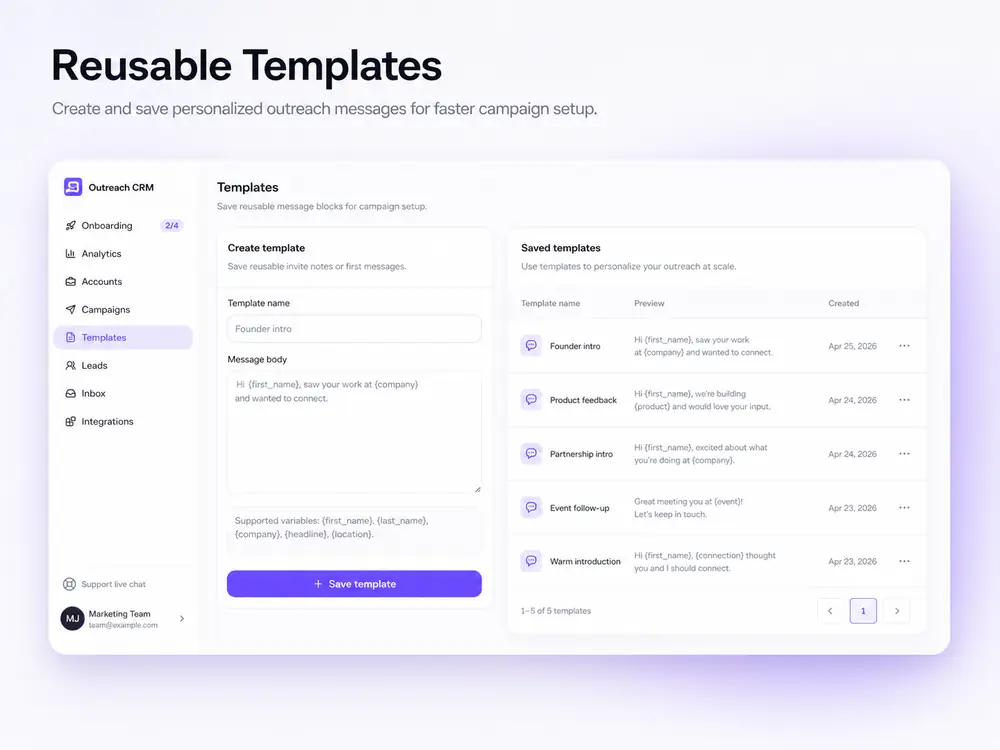
Message templates

Save reusable connection notes and first messages. AI can draft a starting version that you edit and reuse.

  • Variables: {first_name}, {last_name}, {company}, {headline}, {location}
  • Create templates during campaign setup or save them ahead of time
  • Preview how variables resolve before the campaign goes live
  • Reuse the same template across multiple campaigns
app.briskreach.com
Message templates | BriskReach dashboard

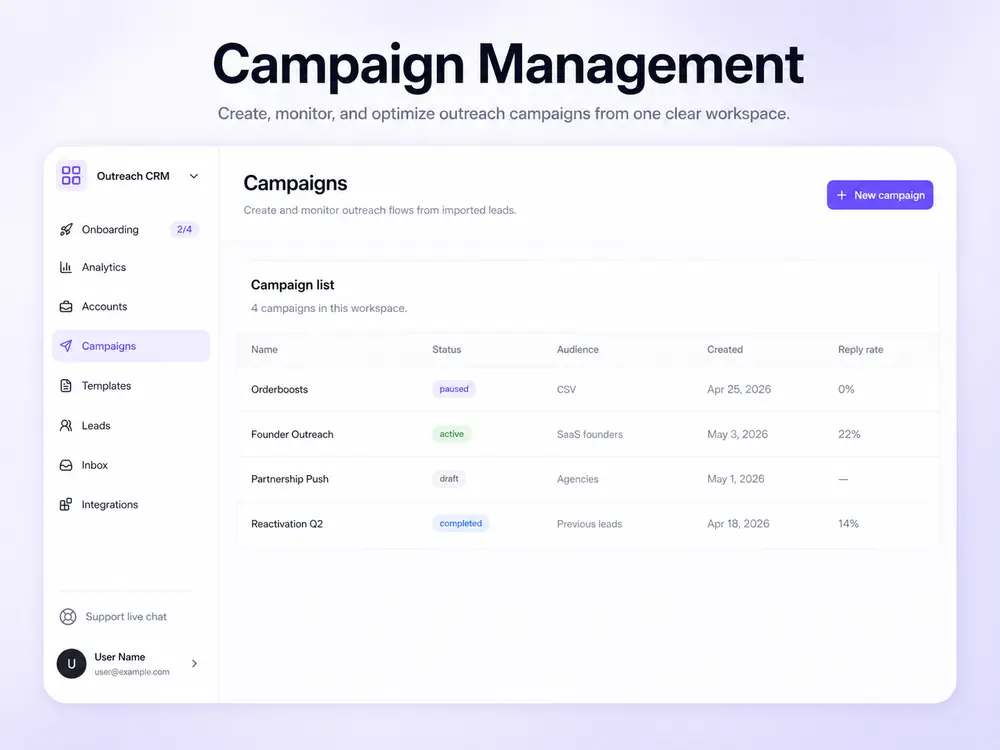
Campaign builder

Build a two-step outreach sequence: connection request, then a first message after acceptance.

  • Step 1: Connection request with an optional personalized note
  • Step 2: First message sent automatically after the lead accepts
  • Pick leads from your unassigned CRM pool and assign them in one view
  • Activate, pause, or archive campaigns at any time
app.briskreach.com
Campaign builder | BriskReach dashboard

Safety & Automation

Safety engine

Every campaign shows its limits before it runs. The engine keeps your account within safe operating ranges.

  • Working hours: actions only send inside the account timezone window
  • Warmup curve: new accounts start with low volume and build gradually
  • Jitter: random 30-second to 4-minute delays between scheduled actions
  • Daily caps: hard limits on invites and messages per account per day
  • Reply pause: automation stops immediately when a prospect responds
app.briskreach.com
Safety engine | BriskReach dashboard

Scheduled queue

A cron-driven tick route checks accounts, respects limits, and queues idempotent actions for the worker.

  • Tick route: finds active accounts, skips those outside working hours
  • Respects warmup, daily caps, and account status before scheduling
  • Creates idempotent action records so the same send never happens twice
  • Worker pops jobs from Upstash and sends through the LinkedIn adapter
  • Marks each action done or failed and advances the lead automatically

Insights

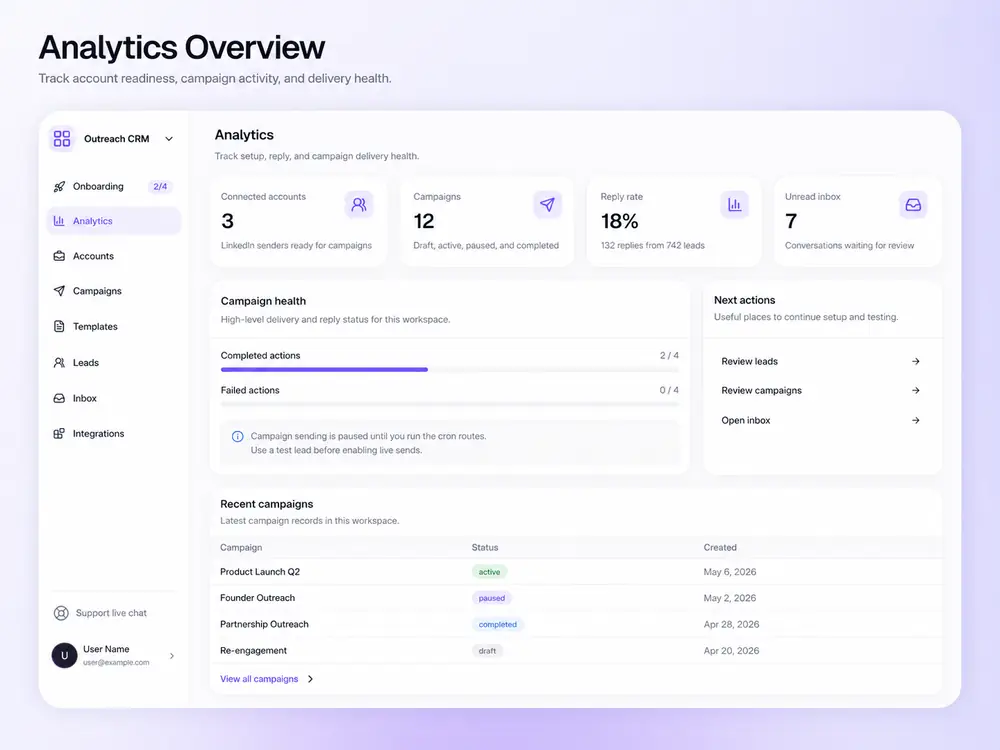
Analytics

Track reply rate, delivery health, and how much of your workspace is set up.

  • Connected accounts, campaign count, reply rate, and unread inbox in one view
  • Progress bars show completed versus failed actions
  • Recent campaigns list with status and creation date
  • Use the data to decide when to scale volume or pause and adjust messaging
app.briskreach.com
Analytics | BriskReach dashboard

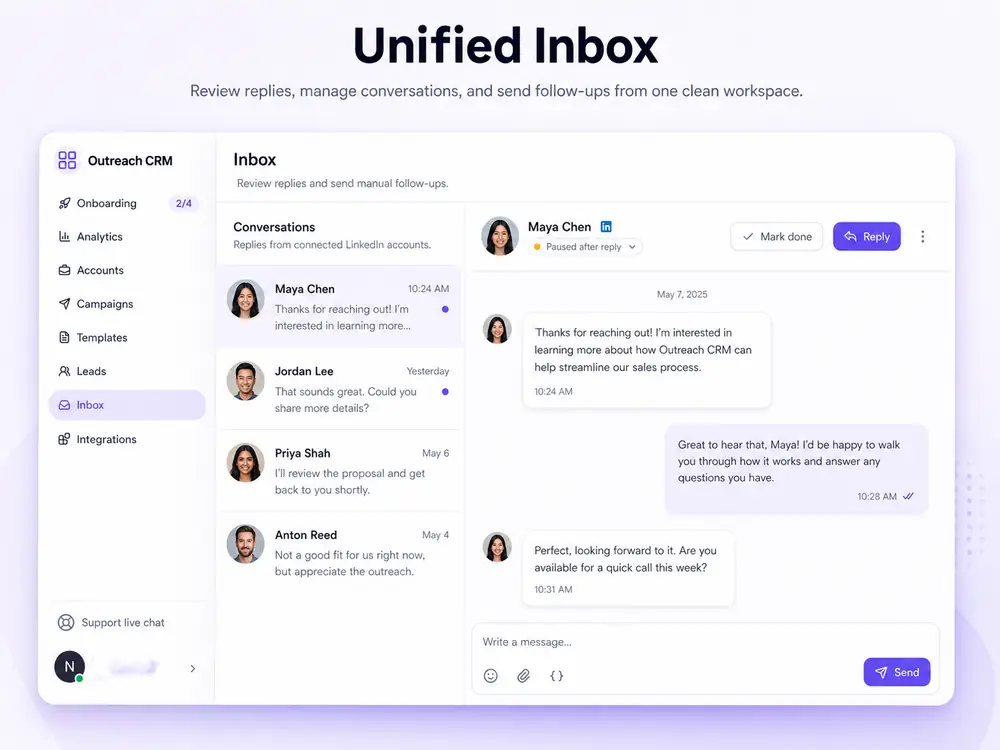
Unified inbox

All replies from every connected account land in one inbox. No tab switching.

  • Conversation threads grouped by lead across all connected accounts
  • Unread badges show which threads need attention
  • Send manual follow-up replies directly from the thread view
  • Lead status flips to replied automatically when a message arrives
app.briskreach.com
Unified inbox | BriskReach dashboard

Reply notifications

Get notified the moment a prospect answers so your team can respond fast.

  • Inbound message webhook marks the conversation as unread immediately
  • Campaign automation pauses for that specific lead automatically
  • Resend sends an email alert to your team when a reply arrives
  • No missed opportunities from delayed inbox checks

Integrations

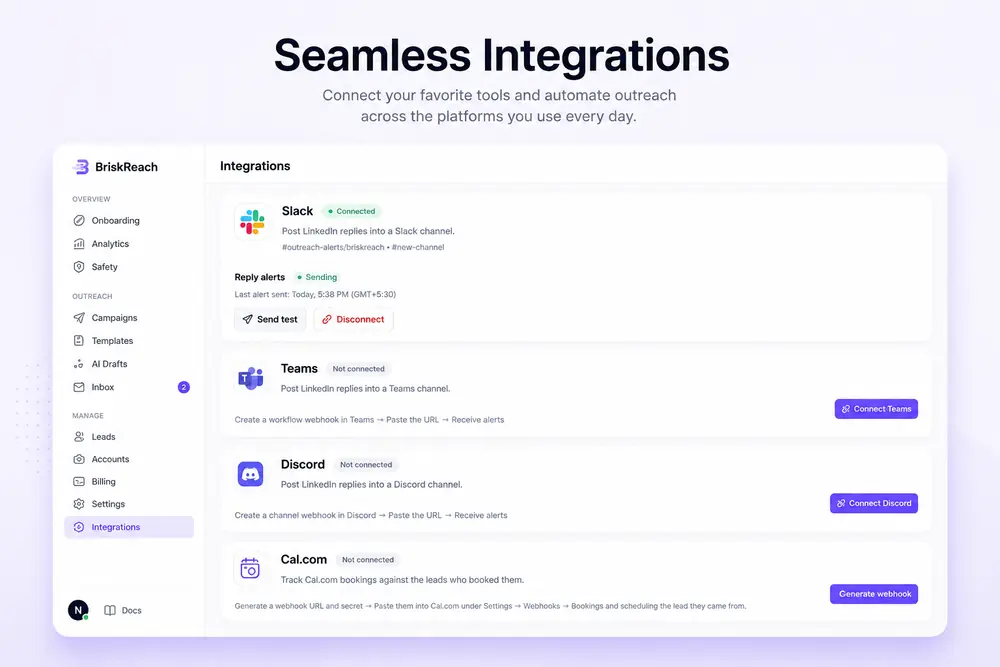
Integrations

Connect BriskReach to the tools your team already uses. Core services are live today, with CRM and team integrations on the roadmap.

  • Hosted LinkedIn auth, actions, and webhook events
  • FastSpring: hosted checkout and signed subscription webhooks
  • Resend: email notifications when inbound replies arrive
  • Upstash: Redis-backed campaign queue and rate-limit support
  • HubSpot, Pipedrive, Zapier, and Slack are on the roadmap

Documentation

Step-by-step walkthroughs for campaign setup, safety configuration, and inbox handling.

Read the docs

Compliance

Built with safety and platform rules in mind.

BriskReach helps teams run controlled LinkedIn outreach that respects platform limits and prospect preferences. Our safety engine is designed to reduce risk, not bypass it.

Reply-aware safety

Automation pauses immediately when a prospect replies. No follow-up messages are sent after a response is detected.

Working hours & warmup

Actions send only inside the account timezone. New accounts start with low volume and build gradually to stay within platform norms.

No bulk spam

BriskReach is built for targeted, personalized outreach. We do not support bulk unsolicited messaging or list bombing.

LinkedIn Terms compliance

Users agree to comply with LinkedIn's User Agreement. Our safety features help you operate within acceptable use limits.

BriskReach provides safety tools to help users stay within platform limits. Users are responsible for configuring settings appropriately and for any consequences of exceeding them. See our Terms of Service for full details.

FAQ

Common questions about features.

Ready to test it?

Start with one account and one controlled lead list. 7-day software seat trial, no credit card required.