
Octopus CRM alternative: BriskReach vs Octopus CRM
Octopus CRM and BriskReach both help with LinkedIn outreach, but they solve different problems. Octopus CRM is a low-cost Chrome extension for individual automation. BriskReach is a hosted workspace for teams that need published campaign safety, reply handling, inbox visibility, and rented Rep workflows across both desks.
Quick verdict
Choose BriskReach if
- You need a shared workspace for campaigns and replies.
- Your team wants visible safety controls before sending.
- You need reply pause, inbox handoff, or rented Reps.
Choose Octopus CRM if
- You are a solo user and price is the main factor.
- You prefer working from a Chrome extension.
- You want visits, endorsements, and browser-side actions.
What Octopus CRM is good at
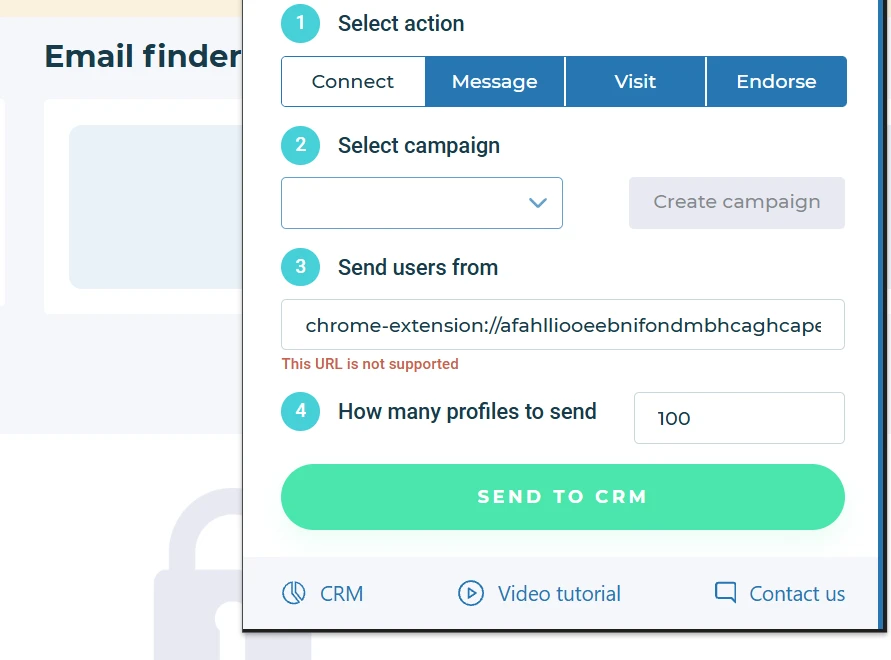
Octopus CRM is direct and inexpensive. Its workflow starts inside a browser extension: select an action, choose a campaign, send a group of profiles to the CRM, then manage follow-up activity from the Octopus CRM dashboard.
That model works well for users who live in LinkedIn and want a simple way to automate common actions. It is especially relevant for small prospecting lists, individual outbound work, or testing LinkedIn automation without committing to a larger team platform.
Where BriskReach is different
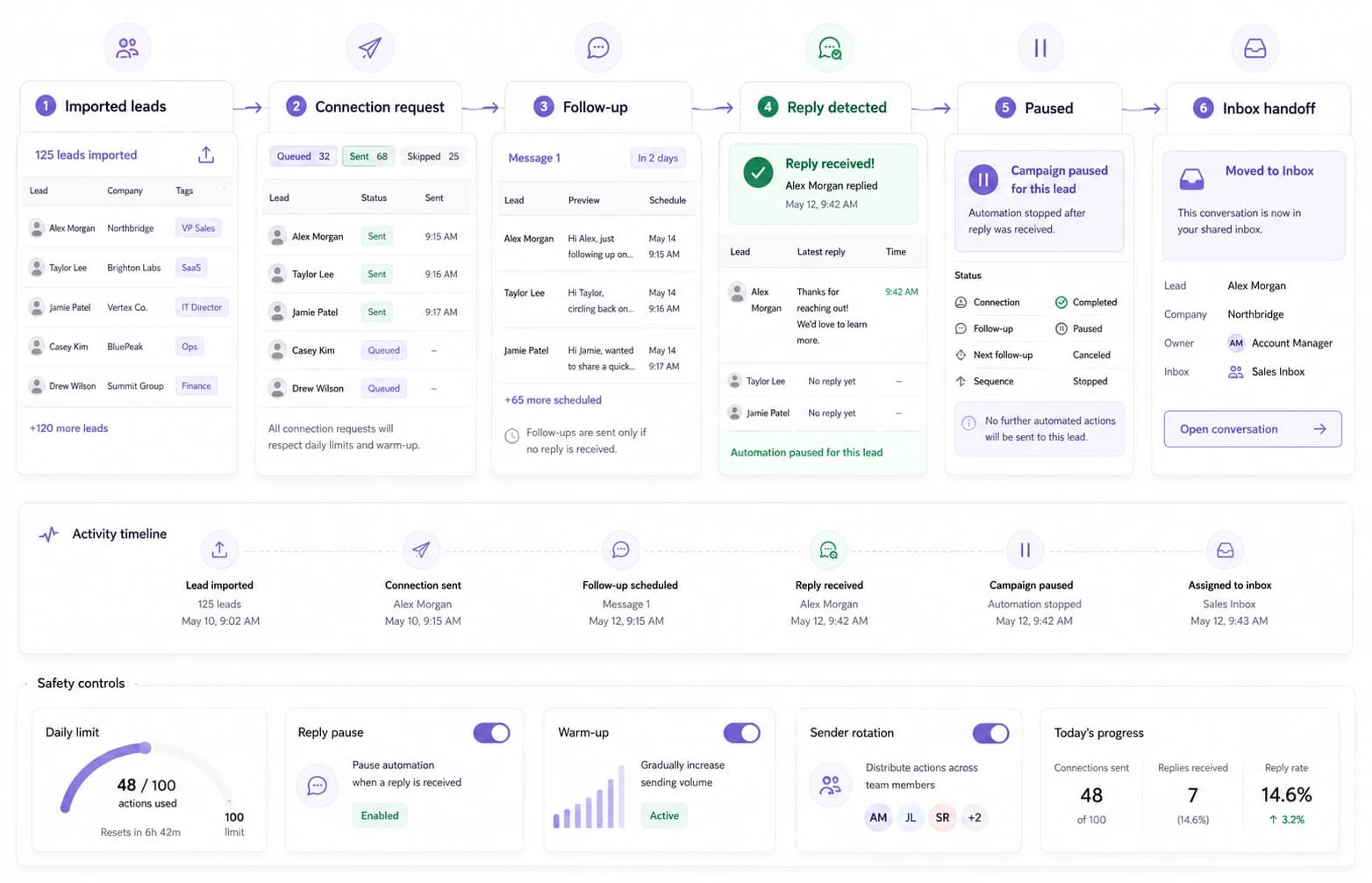
BriskReach is not trying to be a cheaper Chrome extension. It is built around the operational side of LinkedIn outreach: imported leads, campaign state, daily caps, reply detection, inbox handoff, and team visibility.
The practical difference shows up after the first reply. In BriskReach, a reply is not just a metric. It pauses future automation for that lead and moves the conversation into the inbox workflow so a human can take over.
Workflow comparison
| Area | BriskReach | Octopus CRM |
|---|---|---|
| Main workflow | Hosted web workspace for leads, campaigns, safety, and inbox. | Chrome extension plus CRM dashboard. |
| Best user | Teams, agencies, and operators who need shared visibility. | Solo users who want a low-cost automation helper. |
| Reply handling | Reply detection pauses future automation and moves work into the inbox. | Reply handling is more campaign/CRM oriented and less central to the workflow. |
| Safety controls | Published 12-day warmup ramp, daily caps, working hours, jitter, reply pause, and account visibility. | Basic controls are available, with more advanced controls depending on plan and workflow. |
| Rented account add-on | Rented Reps are available as a paid add-on with a 7-day SLA. | No rented, warmed account add-on is advertised. |
Feature comparison
| Feature | BriskReach | Octopus CRM |
|---|---|---|
| Pricing (from) | $39/seat/mo | $9.99/mo |
| LinkedIn connection requests | Yes | Yes |
| Follow-up messages | Yes | Yes |
| Reply detection | Yes | Partial |
| Unified inbox | Yes | No |
| CSV lead import | Yes | Partial |
| Safety engine / warmup | Yes | Partial |
| Account Warmup pre-outreach activity | Yes | No |
| Published warmup ramp & safety limits | Yes | No |
| Timezone controls | Yes | No |
| Daily send limits | Yes | Partial |
| Team workspaces | Yes | No |
| API / webhooks | Yes | Partial |
| Rented, warmed accounts available | Yes | No |
| 7-day rep SLA | Yes | No |
As of May 2026. Annual billing discounts may show lower monthly equivalents. Verify current pricing on Octopus CRM before making decisions.
Pricing comparison
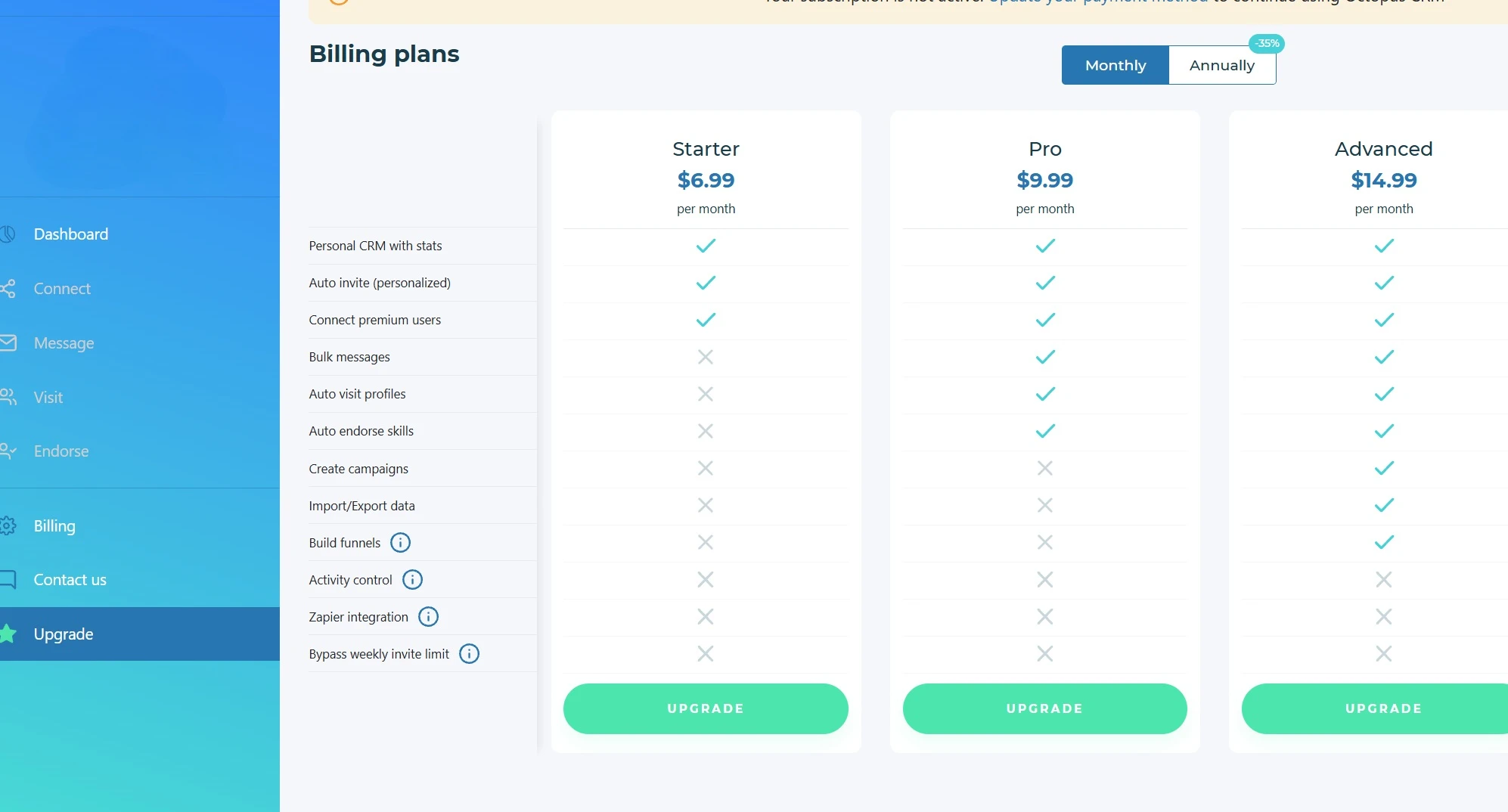
Octopus CRM is the cheaper product at the entry level. The pricing screenshot below shows monthly and annual billing options from the Octopus CRM dashboard in May 2026. BriskReach starts at $39 per seat per month because it includes a hosted workspace model, inbox handling, and team-facing safety controls.
BriskReach
$39
per seat / month
- Additional seats: $20/mo
- Reps: $129/mo
- 7-day seat trial
Octopus CRM
$9.99
per month
- Annual discounts may lower the monthly equivalent
- Advanced workflow features require higher tiers
- Free trial available
When Octopus CRM is the better choice
Octopus CRM is a sensible choice if you are one person testing LinkedIn automation, you want a very low monthly cost, and you are comfortable managing the workflow from a browser extension.
It is also a good fit when visits, endorsements, or bulk first-degree messages are important to your process. BriskReach is more focused on campaign operations, safety, replies, and team handoff than on browser-side action variety.
When BriskReach is the better alternative
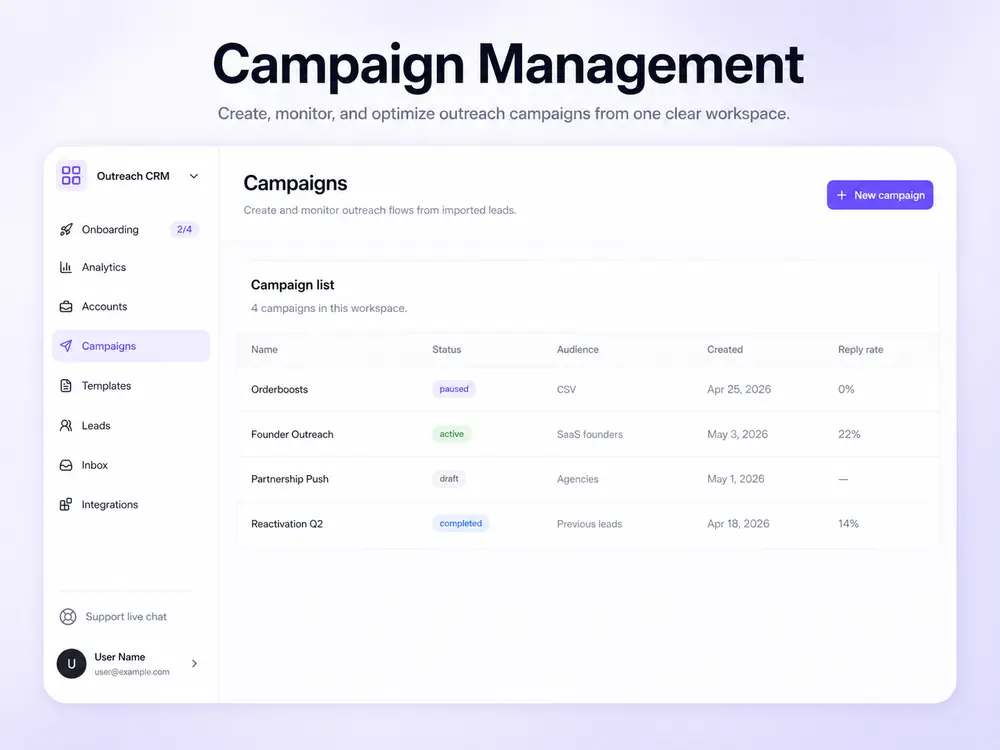
BriskReach is the better fit when the outreach process needs to be shared, reviewed, and handed off. That usually means an agency, a founder-led sales team, recruiters, or a small revenue team where one person should not own every campaign detail inside a browser.
The main reason to choose BriskReach over Octopus CRM is not price. It is the operating model: campaigns, leads, safety, replies, and reps are managed from one workspace instead of a Chrome extension workflow.
Other Octopus CRM alternatives
1. BriskReach
Teams wanting transparent pricing and reply-aware safety
$39/seat/mo
BriskReach is a LinkedIn outreach and CRM platform with reply-aware safety, clear per-seat pricing, and rented Rep capacity. Built for teams that want operational transparency.
Pros
- Lower hosted workspace pricing than many team tools
- Reply-aware safety engine with warmup
- Contracted human reps with 7-day SLA
Cons
- Newer product with smaller feature set
- G2 reviews still building
- Some CRM integrations planned
2. Aimfox
Agencies managing many client LinkedIn accounts
$49/seat/mo
Aimfox is a LinkedIn automation platform built for agencies. It offers multi-account management, team dashboards, and white-label options. Pricing starts at $49 per seat per month.
Pros
- Strong multi-account dashboard
- White-label options for agencies
- Built-in CRM features
Cons
- Higher starting price than BriskReach
- No free tier
- Setup can be complex for small teams
3. Expandi
Advanced users wanting hyper-personalization
$99/seat/mo
Expandi focuses on advanced personalization and image/GIF variables for LinkedIn outreach. It integrates with LinkedIn Sales Navigator and offers smart inbox features. Pricing starts at $99 per seat per month.
Pros
- Advanced personalization variables
- Image and GIF personalization
- Sales Navigator integration
Cons
- Highest price in the category
- Steeper learning curve
- No free tier
4. Dripify
Small teams getting started with LinkedIn outreach
$59/seat/mo
Dripify is a cloud-based LinkedIn automation tool with a visual campaign builder. It supports connection requests, follow-ups, and basic safety settings. Pricing starts at $59 per seat per month.
Pros
- Visual campaign builder
- Cloud-based (no browser extension needed)
- Basic safety controls
Cons
- Limited team features on lower tiers
- No contracted rep option
- Basic reporting
5. HeyReach
Agencies needing client reporting and team tools
$79/seat/mo
HeyReach is an agency-first LinkedIn outreach platform with client reporting, team management, and multi-account support. Pricing starts at $79 per seat per month.
Pros
- Client reporting dashboard
- Team collaboration features
- Multi-account support
Cons
- Higher price point
- Limited rep provisioning
- Smaller user base
FAQ
Octopus CRM alternative questions.
Move from extension actions to a team workspace.
Import leads, connect one account, and keep campaign safety and reply handling visible from day one.