
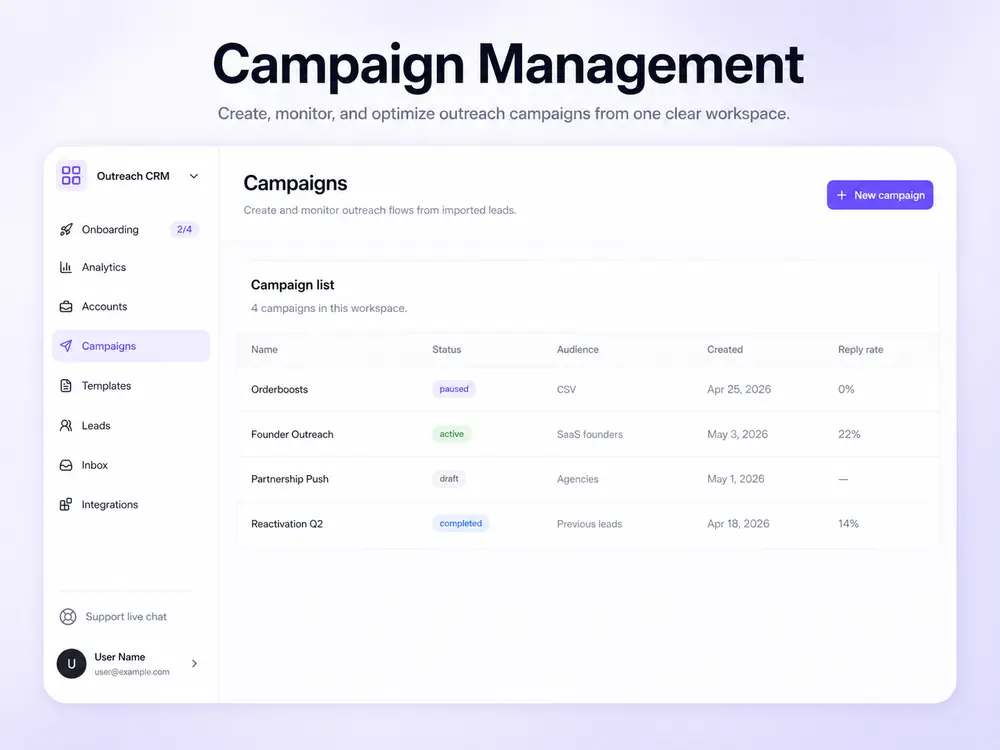
Campaign builder

Build campaigns from reviewed leads, senders, and copy.

Create connection, follow-up, and InMail campaign flows with a visible setup path before anything is activated.

BriskReach product guideLast updated June 2026BriskReach product team

What campaign sequences does in BriskReach

Campaign sequences in BriskReach turn reviewed leads, sender accounts, and approved copy into a visible outreach workflow. The builder is designed to show the audience, sender assignment, campaign type, message templates, and safety settings before activation, so teams understand what will happen before a campaign starts. This page is for buyers who want to know how BriskReach moves from list-building to actual outreach without skipping review, sender readiness, or copy approval.

What campaigns include

  • Lead lists come from import, CRM selection, or reviewed Discover results.
  • Campaign setup includes sender accounts and message copy.
  • Connection campaigns can include invite notes and follow-up messages.
  • Paid workspaces can use Sales Navigator InMail and Open Profile InMail after readiness checks.
Campaign builder in BriskReach

Who this is for

Common teams and workflows where campaign sequences becomes useful.

A team launches a connection campaign

A sales team can select a reviewed lead list, choose eligible senders, add an optional invite note, and prepare a follow-up message. The setup flow keeps the campaign type and copy visible before any action is activated.

A paid workspace uses InMail paths

Paid workspaces can use Sales Navigator InMail or Open Profile InMail after the sender passes readiness checks. Those paths stay separate from normal connection campaigns, which keeps eligibility, copy, and delivery behavior clear.

Example scenario

Example scenario: a reviewed list becomes a connection campaign

A user imports a named lead list, chooses two eligible senders, selects a connection campaign, reviews an invite note and follow-up template, then checks safety settings before activation. Outreach starts only after the campaign is launched by the user. If the same workspace later uses InMail, that path stays separate so readiness, subject lines, body copy, and delivery type remain clear.

How BriskReach handles it

Product details, stored context, and limits that keep the workflow clear.

What BriskReach checks or stores

BriskReach does not treat discovery results or imported CSV rows as automatic campaign sends. Leads are reviewed, grouped into lists, and then selected during campaign setup. That separation keeps list-building and outreach activation as two different decisions.

  • Imports require reviewed lead data.
  • Discover results are staged before import.
  • Campaign audience selection stores the chosen lead list.

Limits and safety notes

Message templates and AI-assisted drafts are inputs to the campaign, not autonomous sending agents. Teams can preview variables, edit copy, and reuse approved templates before a sequence is activated. That keeps personalization grounded in known lead fields and prevents copy from moving directly from generation to send without review.

  • Templates support fields such as first name, company, headline, and location.
  • AI drafts are starting points for review.
  • Activation remains a user-controlled step.

What to review before launch

A sequence should not be launched just because the steps exist. Teams should check the lead list source, sender assignment, template variables, campaign type, InMail eligibility when relevant, and safety settings before activation. That review keeps the campaign tied to real prospects and available sender capacity, and it gives managers a clear point to catch mismatched copy before launch. It also makes later troubleshooting easier when a result needs review.

  • Preview copy with available lead fields before activation.
  • Confirm the selected campaign type matches the intended outreach path.

Where it fits in the workflow

How a sequence is launched

  1. 1Choose a lead list.
  2. 2Assign eligible sender accounts.
  3. 3Select campaign type and message templates.
  4. 4Review safety settings before activation.
Safety and limits

Review before activation

  • AI drafts are reviewed and edited before campaign use.
  • InMail paths are separate from normal connection campaigns.
  • BriskReach does not start outreach from Discover without user review and campaign setup.

See campaign sequences inside a real workspace.

Connect one account, import a focused list, and review how BriskReach handles limits, replies, and campaign setup before you scale.